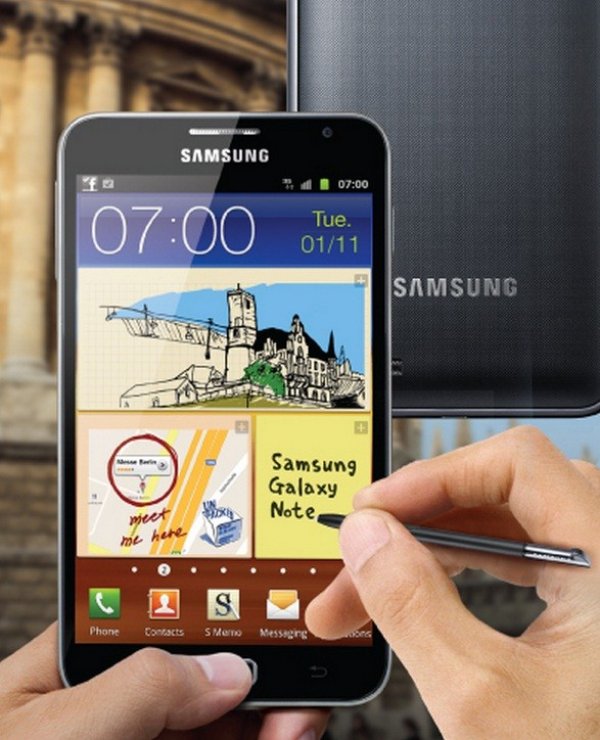
A few days back I made a post dealing with a leaked stock Android 4.1.2 Jelly Bean based custom ROM for the Galaxy Note. And now we have the official Android 4.1.2 Jelly Bean test firmware for the Samsung Galaxy Note GT-N7000 . The new firmware’s baseband version is N7000XXLSA and it is still under testing phase before being released officially. Although we call it a test firmware, our sources from Samsung say that it might be the final build version of the JB update for Note.
The leaked Android 4.1.2 firmware for GT-N7000 is just like any other official firmware that be flashed directly to your Note (via Odin) like any other official release. If you are one who is waiting desperately to upgrade to the new stock Jelly Bean update, you need not wait any more. The firmware is reported to be working perfectly on the Galaxy Note.
Update
Galaxy Note GT-N7000 Android 4.1.2 Firmware Available Now
Android 4.1.2 Firmware GT-N7000 Details:
- Android: 4.1.2 (Jelly Bean)
- PDA: N7000XXLSA
- CSC: N7000OXALSA
- MODEM: N7000XXLSA
- Build Date: November 20, 2012
- Region: Europe
- Country: Germany
Features of Android 4.1.2 JB Firmware:
The new firmware packs tons of new improvements, enhancements and functionality. Some of them have been described below.
- Enhanced TouchWiz
- Smooth Performance and great Stability
- Multi-View or Multi Window features like Galaxy Note 2
- New Additions in Notification Panel, customization options and new notifications bar
- Smart Rotation (Screen Display adjusts to your angle of sightings)
- Continues Input in Samsung Keyboard (Like Swipe or Android 4.2 Keyboard)
- Samsung’s Cloud services
- Added new features like Direct Call, Smart Stay and Pop-up Play
- Added widgets from the Galaxy S3
- Option to choose from 2 home screen modes: Easy and Basic modes
- Google Now and Project Butter
Note: The official release of the firmware is reported to roll out in December 2012 or January 2013.



Could you please tell me how to download firmware?
its ok “official” Rom,,BUT battery issue ..u must turn everything of (except wifi) to get around 3 to 4 hours of onscreen time..lag issue can be solved with Nova or any other fluid launcher.. that a side.. its usable, i use it as a daily driver.
p.s sim lock is easy done with rooting device and GalaxSim Unlock
Install the official firmware from here:
http://droidviews.com/2013/update-samsung-galaxy-note-gt-n7000-to-android-4-1-2-jelly-bean-official-firmware/
i agree with rohhanpandya… but in a different way… very laggy and slow…
i was a little disappointed, but what can i do… i hope the official version will be better
Yea, it is slow and laggy but do not forget it is an immature firmware. The official firmware will surely be bugless.
very slow and laggy!!
Great steps and it works great. Thanks a ton.
Enjoy, Jelly Bean firmware and let us know how it is working for you.