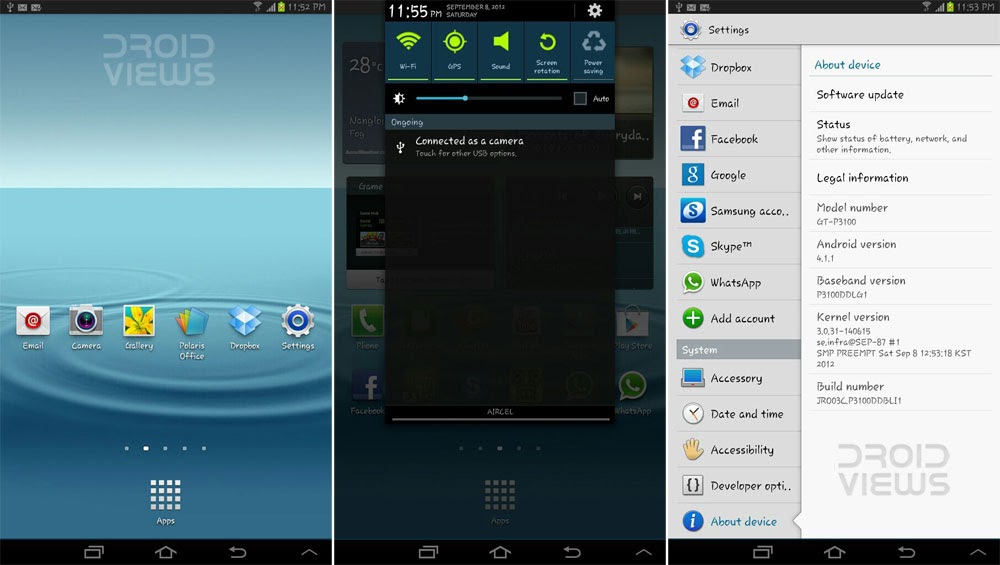
Samsung started Android 4.1.1 Jelly Bean firmware update for Samsung Galaxy Tab 2 7.0 P3100 with the Vodafone users in select European countries like Europe (Italy, Greece, Spain, Germany, Romania, and Slovenia. It was a branded firmware that was limited to Vodafone users only.
And now the manufacturer has sent the new update for its Samsung Galaxy Tab 2 7.0 users in India. The new firmware P3100DDCLL1 is for unbranded devices and it means it can be flashed on any Tab 2 7.0 P3100 device that is not locked to a carrier/operator.
Samsung Galaxy Tab 2 7.0 users in India can update their Tab 2 to Android 4.1.1 firmware via Kies or Over the Air (OTA). To check if the update is available for your Tab 2, go to Settings> About> Software Update.
Firmware Details:
PDA: P3100DDCLL1
CSC: P3100ODDCLL1
Android Version: 4.1.1
Date: 2012-12-05
Region: India (Unbranded)

The Android 4.1.1 JB update brings a host of new features to your Galaxy Tab 2 7.0 P3100, such as Google Now, new notification panel, improved and smoother TouchWiz, and lots more. If you own a carrier-free international version of Galaxy P3100, you can install the new firmware manually using Odin method.
Download Android 4.1.1 Firmware for Tab 2 7.0 P3100:
Firmware Download Link: P3100DDCLL1_P3100ODDCLL1_INU.zip
Update (December 29):
Samsung Galaxy Tab 2 7.0 P3100 has just received the Android 4.1.2 Jelly Bean Update. To download and install the latest firmware, click here.
How to Install this Firmware:
Follow the steps described below to install the official Android 4.1.1 firmware to your Galaxy Tab 2 GT-P3100 manually.
- Download the firmware from the link provided above and extract the zip to your desktop. Inside the zip, you will find a file with .tar.md5 extension.
- Download Odin3_v3.04.zip and extract it too.
- Download and install Samsung USB Drivers on your computer.
- Backup your contacts, messages, apps, etc. using Google Sync, Kies, and some good backup app. Backup your contacts, call-logs, messages, APNs, bookmarks, calendar, apps & games using these nice free apps.
- Enable USB Debugging on your device: Settings> Developer Options>
- Charge your Tab 2 to at least 70% battery level.
- Turn off the device and boot it into Download Mode: press and hold Volume Down+Power buttons simultaneously till the Samsung logo flickers for two times and you see the screen that prompt to enter the Download mode.
- Go to the Odin3 folder and run the .exe program found there.
- Connect your tablet to the computer via USB cable and wait till the connection between the device and PC is established.
- A successful connection is indicated by Odin3 by Green highlight at IC:COM port and “Added!” text in the message box at the bottom.
- Okay, now click the PDA button on Odin and select the firmware file with .tar.md5 extension.
- Make sure that only Auto Reboot and F. Teset Time options are ticked on Odin.

- Now click the Start button to start the installation. Wait till it finishes.
- Finally, you will get a PASS!! message at ID:COM and you Tab will reboot automatically.

Done! You can now enjoy the newly updated Android 4.1.1 firmware on your device now.
How to Root Galaxy Tab 2 7.0 P3100 on Android 4.1.1 Firmware:
If you have already installed the latest Android 4.1.1 Jelly Bean firmware on your Galaxy Tab2 7.0 and wish to root it, just follow the steps below that are much the same as you performed above to flash the ROM.
- Download Odin3 flasher program: Odin3-v3.07.zip or Odin3_v1.85.zip (extract the zip).
- Download the insecure Kernel file and extract the zip to find the .tar file: CF-Auto-Root-espressorf-espressorfxx-gtp3100.zip
- Enable USB Debugging mode from Settings (see above for how to).
- Boot your Galaxy Tab 2 7.0 in Download/Odin Mode as you did while installing the firmware.
- Launch Odin3 and click on PDA button and select the CF-Auto-Root-espressorf-espressorfxx-gtp3100.tar
- Now hit the Start button to begin the installation. When it finishes, your device will reboot automatically and it will be rooted.
Now you Galaxy Tab is rooted and you can verify the root by looking for the presence of the SuperSU app on in. You can also check the root by installing the RootChecker app from the Play Store.

Download from here: http://updato.com/firmware-archive-select-model?record=EB17FB4420C211E6949E0CC47A44B7B2
hey i just have some problem with my tab 2 gt 3100 im from india just did factory setting and rebooted now im geting a message form software update but when im going for it itnsays processing failed …….im not able to do update for that please help and i have tried for odin also but have made one of mynfriend phone dead so indont wanna gomwith odin please help how can i go for updatento 4.1.2 jeally bean
Try this guide carefully: https://www.droidviews.com/install-android-4-1-2-jelly-bean-firmware-on-samsung-galaxy-tab-2-7-0-p3100/
But I am not notified with such upgrade
If I am india will this work for me.
Hi, are we not getting official upgrade of 4.2 for tab 2 gtp3100
See this:
https://www.droidviews.com/samsung-galaxy-tab-2-7-0-gt-p3100-3g-wifi-receives-android-4-2-2-jelly-bean-update/
sir i have CM 10.2 on top of 4.3 Jelly bean but i don’t like it wish i could go back to stock Rom is it possible ? and i can’t use Odin because of something wrong with my device it doesn’t connect to the PC so the only way is to use whether SD card or download directly from the internet so is it possible that i install the ZIP using CWM ? i’m root of course
Install either a Stock based custom ROM via recovery. That way you’ll not lose root and CWM too.
Another way to install official firmware and unroot device is using Mobile Odin: https://play.google.com/store/apps/details?id=eu.chainfire.mobileodin.pro&hl=en
You can download the lite version that requires flash Kernel too:
http://forum.xda-developers.com/attachment.php?attachmentid=1187118&d=1341848203
http://forum.xda-developers.com/attachment.php?attachmentid=2055183&d=1371667447
Thanks for this, just finished updating and all seems ok so far. one question, when I connect KIES am getting the message that my firmware version is not supported for KIES update, does this mean after this install I will never use kies for updates?
It’s because you have not installed the latest firmware for IndIa. Try this 4.1.2 firmware: http://hotfile.com/dl/244894736/c244f71/INU-P3100DDCMG1-20130911155354.zip.html
https://www.droidviews.com/install-android-4-1-2-jelly-bean-firmware-on-samsung-galaxy-tab-2-7-0-p3100/
hi nice Jelly Bean Thanks Beautiful Android
I need to change keyboard from Samsung to Google, as I am not able to use voice typing feature in Samsung keyboard, please help
Samsung keyboard already that feature. Just tap the Voice input icon.
i cannot see voice input icon
also even though predictive text is “on”, I am not getting any suggestions except words which I have already typed in past, please help, thanks
Sir i want to downgrade my gtab 2 p3100 from 4.1.2 to 4.0.4 my country is philippines can you help me.. thanks
See here: http://droidviews.com/2013/how-to-downgrade-firmware-on-samsung-galaxy-devices/
Is your device carrier branded?
Yes, original by samsung gakaxy tab 2 7.0 made by vietnam
Download this: http://goo.gl/iYIKy
and use the steps given at the downgrade tutorial.
sir previously i had installed cynogenmod 10.1 jb 4.2.2 but now after installing firm. version my tab is not starting up it just shows samsung logo thats it …plz help
Do you have a custom recovery installed like CWM or TWRP?
If yes, then boot your device into recovery. Wipe cache and data partitions, then reboot your device. It will boot up correctly into this specific firmware.
Make sure not to wipe anything else apart from cache and data.
i reinstalled it using the same process and it worked … by the way thank u
I’m glad it worked 🙂
i reinstalled it using the same process and it worked … by the way thank u
Hello. I have my Samsung galaxy galaxy tab 2 7″ (GT-P3100), with android ver. 4.0.3 and baseband version P3100UBLD3, can I update to 4.1.2 with your : Colombia (Movistar): P3100UBDMA1_P3100TFGDMA1_COB.zip file? .. Thank you
Yes, you can. But please make sure that it is meant for your GT-P3100 or else you might risk your device.
Dear Sir, I have updated my Galaxy Tab 2 P3100 to Android Jelly Beans 4.1.2 via OTA. Now everything works fine except these few problems that I’ve noticed.
1. There is no options in settings to show battery percentage.
2. During drawing the pattern to unlock device my tab’s screen doesn’t rotate. It rotates only after being unlocked.
3. No screen shot option.
Please help me.
Hi, the feature you are missing have been removed in 4.1.1. They were useful but Samsung mysteriously dumped them.
Anyways, you can capture screenshots doing this: http://droidviews.com/2013/how-to-take-a-screenshot-on-samsung-galaxy-tab-2-7-0-with-jelly-bean-firmware/
To show battery % on the status bar, install an app from the market: https://play.google.com/store/search?q=battery+percentage+status+bar&c=apps
Wow this is great to get an instant response! Thanks a lot.
Sir one more thing is bothering me that is with music player… when i come to home screen, music player comes into notification bar and now i can only pause the song. I can’t remove it from notification bar until i remove it from task manager which says if you force stop an app it may cause errors.
Sir, what should i do now?
This is a common JB feature and should not be a concerning thing. The play/pause icon that shows in the status bar does not eat battery. And yes closing it by force does not cause any error. let the system say it.
Install a good task manager app from market and use it at interval to close background processes.
Thank you very much Sir. Now I am good.
I really appreciate your help and time. Is there anything i can do for DroidViews ?
A website only needs the trust and love of its users. You can repay it by promoting it and sharing links. 😀
Ok ! So are you people (droid views) there on facebook ?
Yes, we are. You will find links on every page of the site.
hi << i didn't like this update so i get back to ice cream sandwich << but my gt-p3100 stop on samsung logo screen << i tried to dawnload another rom verion but it didn't work too !!!! << can you help me please
Now the screen stops on ” firmware upgrade encountered an issue. please select recovery mode in kies & try again ” plz help
See here: http://droidviews.com/tag/downgrade-from-jelly-bean-to-ics/
i updated to 4.1.2 but not found anything new about it??
Sir, Help me…
Im already update to 4.1.2 on my GT-P3100, but now, I cant use phone on my device, what should i do for my problem?
Thanks…..
Restart the tab a couple of times. If does not help, wipe data factory reset from recovery.
i had the same problem and just fixed it by downloading the firmware update JB 4.1.2 and now i have the dialer app works let me know if you need any advice
steps r same for installing 4.1.2 as for 4.1.1
Steps are the some but rooting not required. It’s an official firmware.
can i upgrade my GTP3100 to 4.1.2 from the given link.will it works fine or not
Yes
hola soy de Honduras, puedo actualizar este sistema?tengo android 4.0.3
Hola Roberto, puede instalar esto. La única condición es asegurarse de que su teléfono no es portador de la marca y es el número de modelo GT-P3100. ¡Salud!
Hi Sir after i install the 4.1.2 original firmware from your link… my wiFi seems working fine for a while but somehow later it will become a problem and it turns slower that i cant even download in google play anymore.. can you please help me fix what seems to be the problem?
Hi,
Reset you phone by wiping a data/factory reset (use method 1 from the link below), or install Android 4.1.2.
http://droidviews.com/2012/how-to-recover-when-your-android-device-is-caught-in-bootloop/
http://droidviews.com/2012/install-android-4-1-2-jelly-bean-firmware-on-samsung-galaxy-tab-2-7-0-p3100/
i have a samsung galaxy tab 2 7.0 p3100xxlh2 baseband, can i use the p3100xxcll2 france 4.1.2 jb firmware on my tab?i afraid my tab will bricked or get locked. can you guys help me out. thank you.
Yes, you can install it. Go ahead.
I bought a Note 2 GT-N7100 from Koria to INDIA . The phone came not completely set up and even though I have problem with the firmware at present my mobile had Android 4.0: Ice Cream Sandwich About my Device Android Version 4.1.5 is there any possible to change the firmware jelly bean 4.2 ..
Android 4.1.5 is a Korea specific version of Android from Samsung. To rest of the world it is available as 4.1.2. As for 4.2 official update you will have to wait for at least 2 months or may be more. But you can have Android 4.2 by installing a custom ROM.
See here: http://droidviews.com/tag/samsung-galaxy-note-2/
It s very usfull…Thanku for your reply… droidviews..
After i ipgraded my tab 2 i cant find screen shot could u pls help me sir??
Read this:
http://droidviews.com/2013/how-to-take-a-screenshot-on-samsung-galaxy-tab-2-7-0-with-jelly-bean-firmware/
Hello i have a unrooted gt p3100 in india and it is officially updated to jellybean 4.1.1
now i want to root it using CM and then upgrade it to 4.2.1 using CM not odin .please tell how to do it
I guess by CM you mean CWM. Anyways, these tutorials might help you:
http://droidviews.com/2013/root-and-install-cwm-recovery-on-samsung-galaxy-tab-2-7-0-and-galaxy-tab-2-10-1/
http://droidviews.com/2013/how-to-install-cyanogenmod-10-1-rom-on-samsung-galaxy-tab-2-7-0-and-tab-2-10-1/
i want to downgrade to 4.1.1 to 4.0.1 os.plz help me???
Follow this guide:
http://droidviews.com/2013/how-to-downgrade-firmware-on-samsung-galaxy-devices/
Question sir if I rooted my phone to aokp or cynogenmod can I still install this original firmware? Thanks in advance
can u help me to downgrade this france update 4.1.2 on my tab2 back to india jellybean update of 4.1.1
Why not? We are always here to help with such matters. Download the firmware from this page and follow the instructions given over here: http://droidviews.com/2013/how-to-downgrade-firmware-on-samsung-galaxy-devices
If you still need help, leave us a comment on the relevant post. And yes, when it is successful, do not forget to mention it with your device model and firmware.
i upgraded my tab 2 into jelly bean and i m not getting battery percentage after that , i checked in settings>display but didn’t get the option like other phones ,please help
Did you scrolled down the list of options under Display Settings? If you do not find it, install this free appand you will have it again: https://play.google.com/store/apps/details?id=com.macropinch.pearl
sir i download for my tab 2 P3100 new jeally bean 4.1.2 and i didnt find arabic then i down grade to jeally bean 4.1.1 india but no arabic also so can i downgrade again to ice cream4.0.4 ? if now could you provide me with jeally bean for middle east ?
try this:
http://www.hotfile.com/dl/188036910/f0f407b/P3100XWBLJ1_P3100OJVBLJ1_MID.zip.html
Does It Support Arabic Language ? Plz Reply Fast !
Try this for Arabic: http://www.hotfile.com/dl/188036910/f0f407b/P3100XWBLJ1_P3100OJVBLJ1_MID.zip.html
when i use this the installing done but the device didnt work after reboot and still flashing with samsung name which appear while turning on with out working so i return back again for the above software
sir i tried the update but it says fail every time i do it what shold i do now..?? i guess i bricked the phone..
Update field does not mean that the device is bricked. If you can do it, pull out the battery, wait for 1 minute or so, reinsert the battery and press and hold Volume Up+Power button till the samsung logo flickes for two times and you see a black background with blue text. This is called Android Recovery mode. Use the volume keys and and scroll down to Wipe data factory reset” select with the power button and then rebbot the device. It should boot normally.
can i downgrade official 4.1.2 to 4.1.1 in my tab 2 p3100
yes
it’s cool i install it on my tablet. it works very well. i love it.
i tried many ways to install this version of android on my tablet. all were failed. but this Update of firmware works very well.
i can’t believe that
but i have a question…
is there Android 4.2.1 upgrade file like this installation with odin for Galaxy tab 2 P3100 also??
hi there, I have download the link in the given below and then how to install ?
how to download and install cyanogenmod 10 in tab 2 p3100 please give detail answer
Here is the link
hello sir my tab 2 p3100 root is failed and it is bricked how to unbrick it? please …
Flash the firmware again via odin.
Does this update wipe user data?
No, it does not.
can u help me with unroot of tab 2 p3100…
i have done with clockwork mode recovery but it still boot in original android recovery mode….
and status shows custom or modified unable to update..
The easiest way to unroot the phone is to Install the firmware again. I would recommend you to install the Android 4.1.2 firmware. Device will be unrooted and upgraded both:
http://droidviews.com/2012/install-android-4-1-2-jelly-bean-firmware-on-samsung-galaxy-tab-2-7-0-p3100/
sir i get an update in my phone is it update to jelly bean or not ? nd it show file sije its 366 mb what i do now sir help meeee plzzzzzz
It should be Jelly Bean 4.1.1, Deepak. I think you should install Android 4.1.2 which is latest:
http://droidviews.com/2012/install-android-4-1-2-jelly-bean-firmware-on-samsung-galaxy-tab-2-7-0-p3100/
sir should i do for an update or not ? other wise i ll work through your guidelines what u write in you r article and is it safe sir ?
go for update and you get 4.1.1, follow the instructions given here, you get 4.1.2. The choice is yours, do what fits you. Each way is good.
hmm ok thanks sir i do with u r way thanks alot and keep posting 🙂 nd thanks for replying so quickly i ll always touch with u r updates thanks again sir
Thanks for visiting and good luck too. Please join us on Facebook to get the latest updates and tutorials.
i got this update via OTA which is the official method. nw will this mentioned rooting method work for me, cz as frm the comments it can be seen that that ppl are manually installing the os.
1 more doubt–>after i successfully upgraded my device officially via the OTA update, wen i click on software update it shows me —->”your device has been modified. software updates are not available” dat too within a fraction of second as i hrd dat the update 4.1.2 is now available nd i wanted to update it to the latest vesion. when i click on status it shows–>”custom”.
till now i nevr had even attempted to root my device and it shows the status–>”custom” instead of “normal”.
i tried to reset factory settings, but of no use.
🙁 🙁
pls help.
Yes it will work.
It is surprising indeed that you are not able to get the official update. But you can always install the update manually.
When the tab is rooted, download and app called Triangle Away from play store and run it on device to set the flash counter to zero.
By the way, did you try to “Wipe data factory reset” from the recovery?
sir i have the same problem please help…
i ve currently 4.1.1 version installed on my tab p3100 and i ve the option of “FACTORY DATA RESET”–>(reset all settings and delete all data on device).
originally i had ics 4.0.3 and i recieved this jelly bean update via OTA worth some 350 MB (approx).
even after the factory reset i ve jelly bean and not ics(well that is not a problem), but the problem is i am unable to update via OTA further as it shows my device status as “CUSTOM” and while clicking the software update button within some nanoseconds it pop ups a message—>”YOUR DEVICE HAS BEEN MODIFIED. SOFTWARE UPDATES ARE NOT AVAILABLE” as if its not even trying to connect to internet, even though i ve an extremly strong internet connection.
🙁 🙁
I just upgraded my Galaxy tab 2 7.0 to Android 4.1.1 via Kies here in Texas.
How is it? Can you post some screenshot of the major changes?
if i update my fone using this firmware ..will my fone’s warranty remain intact?
i mean…can smasung find out that i updated my fone from some other media rathr than kies?
Technically it will void the warranty. But as long as you are on a stock ROM, you will get the Warranty (at least in India).
I have a p3100 that I don’t know if its locked or not, but displays the brand of the carrier during the boot. Would I mess the tab if I run this update over the tab? I don’t care for the 3G anyway, I use it mostly wi-fi.
You might face a few connectivity issues. But if your phone is locked, I would not recommend it to you. If you give me the details such as your country and carrier, I would try to help you further.
I figured that the tablet is indeed unlocked. It’s the brazilian P3100 and sold by TIM (carrier). I inserted different carriers SIM cards and they all work.
How do you screen shot ?
Use the Screenshot Botton from The Nav Bar, it’s like the OEM 4.0.4 taht came with it!
or
Hold power and volume down (farthest from the power button) at the same time.
it worked great here in Nigeria. Thanks a lot. i appreciate.
Nice, Enjoy!
You should also try the latest firmware: http://droidviews.com/2012/install-android-4-1-2-jelly-bean-firmware-on-samsung-galaxy-tab-2-7-0-p3100/
When I root the tab do i get the option to move the applications to SD card? I was going though few other forums….where it was saying u need root access to use application “App 2 SD”.
I tried the option of adb command “adb shell pm set-install-location 2”. It did not work. As per the forum the only way to move applications to SD card with out rooting was through adb commands. Even though I did not get error and when i gave the command get-install-location i got the result as 2. There was no option like “Move to SD card” or something like that coming up under the applications.
So can you please confirm if I root the device I would be able to move the applications to SD?
Hi Arnab, moving apps to SD Card without rooting is a complicated procedure that may or not work for all. Rooting is rather easy that using the ADB Shell commands. Rooting is not just enough to move your apps and games to SD. You will have to install an app for the purpose. Here is a list of paid and free apps from the Play Store:
https://play.google.com/store/search?q=move+apps+to+sd+card&c=apps
Thanks a lot for your reply… 🙂 and wish you a very happy new year !!!
Happy New Year to you too, Arnab!
Is this Also applicable to Galaxy tab 7.0 PLUS??? Pls answer. Thanks!
Hello ., I have successfully rooted my P3100.
But now i want to unroot it, So how can i do that ??
I updated 4.1.1 with Wifi over OTA , but out of curiosity i rooted with steps mentioned above.
Well, there is nothing bad with a rooted device. You can install several apps that need root permissions. Since there is no secure kernel available for your device you can’t unroot it now currently. The only option is to download the firmware filr and flash via odin as directed above, but do it only if you are over-concerned with the root.
thnx for reply.
i am new at this , so will you please explain what root actually is ??
Do i need to worry as my device is rooted , and can i get future updates via OTA ??
Well rooting is a word most Android users are and must be familiar with. It’s a kind hack that gives you access to the system files of your device so that you can modify them. Rooting makes your device more capable as it lets you enjoy certain apps that require root permission to modify/overwrite system files.
The moment you root your device, the warranty of your phone/tad is void but by flashing the official firmware via Odin, you can reclaim it back any time.
Currently I am writing an article on the whole roorting business for new users like you. Stay tuned and keep visiting!
Thanks.
ok thnx mate.
There’s one major problem with the new notifications panel.. In 4.0.4, we were able to bring up the notifications while running full screen apps as it used to be fired up from the taskbar in the bottom. Now we cant do that! And text size in the notifications panel could have been bigger. And there’s no battery percentage indication in the notification panel, which used to be there in 4.0.4. Screenshot soft button has been omitted and the softbutton to hide the on screen keyboard is also gone(however, we can tap outside the keyboard to hide it). Or are there any solutions for these problems?
Well such changes are reserved to Samsung and there is nothing we can do about them except exploring device Settings for a solution. I think options should be there.
Does it Support Arabic Language Read Write Arabic ?
Yes, it does. You can choose your language from Settings> Language and Input> Language. I have checked just now and I think it is there (though I could not read the Arabic text shown in the list.
Dears i want to know if i recieve arabic mail or sms can i read it normally or it not support arabic
Go to Settings> Language and Input> Language and change your language
everything went fine but still its showing as 4.0.4
How could be this possible. Show me the screenshot. The official page says it is Android 4.1.1
I did it!! Actually it works!! 😀
At point no. 7, I got stuck 🙁 I always enter android system recovery. How to enter download mode??
Actually you have to press Volume Down key. My mistake. Sorry for the inconvenience.
hey while i was trying to update my tab 2 using kies.. some error message popped up continuously that
‘GT-P3100’ does not support initialization.
can u please suggest me any possible reason or how to tackle it..
while i googled it, i tried to root my tab before but was unsuccessful and the counter of the customized os has now turned to 1 on the boot screen.. can this be a reason?? if not please suggest me what to do now.
thanks and regards
-ankur
Well, if the flash counter shows 1, or 100, Kes will not let you update your Tab. The easiest way is to reset the flash counter is to install an app called “Triangle Away” from the market that will cost you about $3 and requires a rooted device which you say you do not have.
So, the second and best way is to download the official firmware from this post and install it using the method given here. If you want the flash counter to be set to 0 again, boot into Android recovery mode (Volume Up+Home+Power keys) and “wipe data/factory reset” before flashing this firmware.
Hope it helps you.
thank you soo much 🙂 i have now rooted my tab and also cleared the counter!!
yippee….. here is the proof…… Official FW update released for Galaxy Tab 2 P3100
Nice!
Hi, Just want to know…. Why the Update file sizes are different… OTA file size is 364.4 MB & the file which you have provided is 735.8 MB almost double in size comparing to OTA file….. so pls tell me is there any Extra features in you file or both are the same…. & if same why the size differs
Hi, the reason for the difference in the sizes of the files is that the file uploaded here is the complete firmware. The OTA update files consists only the new changes ans so it is smaller.
Any Errors der???
No, errors, tested myself.
yepee…………. here is the proof….. Official Update Released for Galaxy Tab 2 P3100
will this preserve root ?
Well, no official firmware comes pre-rooted. You will loose the current root to be sure but you can root your device on this firmware by flashing CF-Root via Odin using the same method. Here is the insecure kernel for your device: http://download.chainfire.eu/238/CF-Root/CF-Auto-Root/CF-Auto-Root-espressorf-espressorfxx-gtp3100.zip
If you need further help, let me know.
thanks a lot