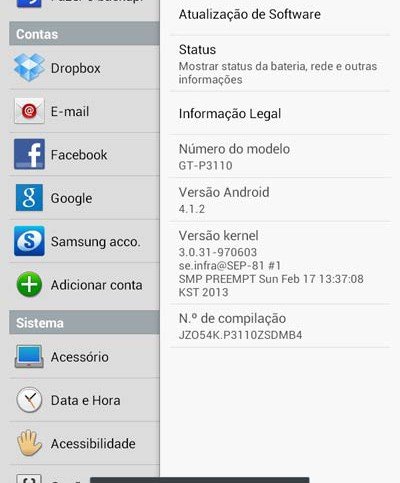
The first Jelly Bean update came to the Galaxy Tab 2 7.0 WiFi GT-P3110 back in December when the device received Android 4.1.1. It has been about 3 months since then. And now Samsung has been rolling out the latest version of Jelly Bean, that is Android 4.1.2, for its devices. If you have this second generation tablet device, you can avail the Android 4.1.2 OTA update by checking for its availability for your country region. Open Settings> About on your Tab 2 and tap on Software Update. You can also keep an eye on Kies for the update notification.
The Android 4.1.2 update is rolling out in phases and is currently available for select countries and regions. Nevertheless, it will hit all remaining countries soon so you will have to wait patiently. Note that if you have rooted your Galaxy Tab 2 7.0 P3110, you will not be able to get the OTA update. In that case, you will have to update your device manually. If you do not want to wait for it or you do not belong to any of the countries listed below, you can still get the update by installing the Android 4.1.2 firmware, regardless of country and region. You can install any unbranded firmware from below. Only make sure that your tab’s model number is the same and also that it is not network locked.
Feature-wise the 4.1.2 update is not a very great jump but it does bring various new improvements in performance and better battery life. You download the desired firmware below and install it using Odin tool. If you do not know how to update the firmware manually, you can refer to our easy tutorial (link below).
Download Firmware:
You can download the stock Android 4.1.2 JellyBean firmware for your Galaxy Tab 2 7.0 from sites like Updato and Sammobile. You should be careful about selecting the correct firmware based on the CSC of your device to ensure OTA updates from the manufacturer. Know more about Samsung CSC by heading to our detailed article.
How to Install:
Download the firmware from above and extract the zip on your computer. Inside the extracted folder, you will see a file with .tar.md5 extension. Turn off your Tab and boot it into Download/Odin Mode. Launch Odin and connect the device to the computer. Click on PDA button and select the .tar.md5 file. Finally, hit the Start button on Odin. For a detailed tutorial on installing the Android 4.1.1 JB firmware on your Samsung Galaxy Tab 2.7.0, please read our step-by-step guide.



it shit
it not it a cool update