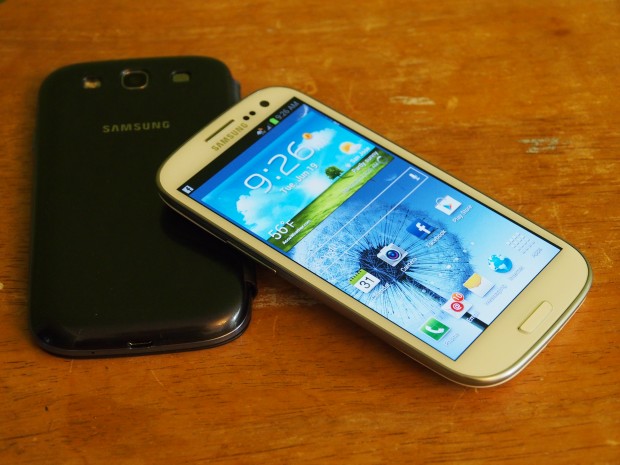
We already have the rumor of a proposed Jelly Bean firmware update for the Verizon Galaxy S3 on December 14th. While there are still a few days left to testify the news, we have another Android 4.1.1 Jelly Bean firmware leak by XDA member Open1your1eyes0.
In fact, the leak is in the form of a stock factory image that has been modified and come with unlocked bootloader, pre-root and CWM Recovery or TWRP Recovery, pre-installed. Wow! Now that’s what we can call a stock firmware in the guise of a custom ROM!
Related Reading:
Flash Stock Android 4.1.2 JB Firmware on Unbranded (carrier-free) Galaxy S3
What is even more amazing is that the modded factory image VRBLK3 (dated Nov. 30) has No Wipe attribute. It means, flashing it will not erase any of your data stored on the device.
To check what the Android 4.1.1 Jelly Bean firmware has to offer, watch out this video:
Downloads and Instructions:
To install the leaked Jelly Bean ROM to your Verizon Galaxy S3, download the following files and follow the instructions. If you want to install the stock firmware only download Stock VRBLK3 Factory Image with No Data Wipe only and follow the first tutorial under How to Install head.
- Samsung Verizon USB Drivers
- Odin v3.07
- SuperSU + Galaxy S III Unlocked Bootloader
- VRBLK3 Bootchain with ClockworkMod Touch Recovery 6.0.1.2
- VRBLK3 Bootchain with TWRP Recovery 2.3.1.0
- Stock VRBLK3 Factory Image with No Data Wipe
How to Install:
- To flash the factory image to your Galaxy S3, download the “Stock VRBLK3 Factory Image with No Data Wipe” and refer to this detailed tutorial.
- To install a custom Recovery (CWM or TWRP) on your Verizon Galaxy S3, read this tutorial (use the files downloaded from this page).
- To root and unlock the bootloader, copy the zip to SD Card on your phone, turn on USB Debugging from Settings> Developer Options, reboot the device into Recovery mode, and flash the “SuperSU + Galaxy S III Unlocked Bootloader.zip” via “install zip from sd card” option in CWM.
Source: XDA

Join The Discussion: